
Macro Space APK
Macro Space for Free Fire: How Android Macros Work
Macro Space is one of those Android automation apps built around a simple idea: record a series of touch actions — taps, swipes, long presses, whatever you need — and then have the app replay them later, step for step, exactly as you recorded them. Pair it with Free Fire, and your recorded movements get played back right on top of the live game.
But how smoothly that actually plays out isn’t guaranteed. It comes down to a handful of things working together — your specific phone, how the screen is laid out, which permissions you’ve granted, and honestly, how clean the original recording was.One thing worth getting straight from the start: the macro isn’t “watching” the game in any meaningful sense. It has zero awareness of enemies, health bars, loot, menus — none of it.
All it’s really doing is firing off taps and swipes at the same fixed spots on the screen, at whatever timing you set when you recorded it. Once that clicks, a lot of the app’s quirks and limitations start making a lot more sense.With that groundwork out of the way, this guide gets into how Android macros actually work under the hood, how that translates specifically to Free Fire, what each of the key settings is doing, and the usual suspects behind playback going wrong.

What Is an Android Macro?
An Android macro is a saved sequence of actions that can be played automatically. Instead of performing every tap manually, an automation tool such as Macro Space follows the recorded sequence.
For example, a simple macro could contain:
- Tap at a specific location
- Wait for a short period
- Swipe across the screen
- Tap another location
- Repeat the sequence
That said, results can vary quite a bit depending on how the macro was originally recorded. A sequence that runs perfectly on your phone might behave completely differently — or not at all — on someone else’s device.
It’s also worth knowing upfront that these automation tools generally need certain permissions granted before they can even interact with other apps. Miss that step, and don’t be surprised if recording or playback just refuses to cooperate.
How Macro Space Works With Free Fire
When an Android macro tool is used with Free Fire, the basic process is to create a sequence of touch actions and replay it while the game is running. Tools such as Macro Space APK can be used for this type of touch automation.
The process generally involves three stages:
- Create or record a sequence of touch actions.
- Save the sequence with the required timing.
- Start playback while the target application is open.
The automation tool does not automatically recognize buttons, enemies, or other elements inside the game. It follows the actions that were saved. If a button moves to a different position, the recorded sequence may no longer land in the correct place.
This makes the screen layout and action timing important for reliable playback.
How Touch Recording Works on Android
Touch recording captures actions made on the screen and stores information about their position and timing. Depending on the application, a recorded sequence may contain taps, swipes, holds, and pauses.
For example, a sequence might look like:
- Tap the screen
- Wait 200 milliseconds
- Swipe upward
- Wait 300 milliseconds
- Tap again
During playback, the application attempts to reproduce those actions in the same order.
Screen resolution and display scaling can affect the result. A macro recorded on one device may not line up correctly on another phone with a different screen setup.
Macro Timing and Action Delays
Timing is an important part of Android automation. If actions are played too quickly, the target application may not have enough time to respond.
With Macro Space, adjusting delays can help make a recorded sequence more consistent. Start with a simple sequence and test it several times. If an action is skipped, increase the delay slightly rather than changing several settings at once.
Common timing factors include:
- Action delay
- Swipe duration
- Pause between actions
- Playback speed
- Repeat interval
There is no single delay that works for every phone. Device performance and the target application can both affect how quickly actions are processed.
Free Fire Controls and Macro Limitations
Free Fire has an interface where button positions can change based on the player’s HUD settings, screen size, display scaling, and game mode. Because of this, a recorded touch sequence can depend heavily on the current layout.
For example, moving the fire button can cause a recorded tap to land somewhere else. A different aspect ratio or display setting can create a similar problem.
Game updates can also affect previously recorded sequences. If an update changes the position or behavior of an on-screen control, an older macro may need to be tested again.
Players should also check the game’s current rules before using automated input during gameplay. Different games can have different restrictions on automation, so users should not assume that every type of macro use is permitted.
Macro Space Panel and Floating Controls
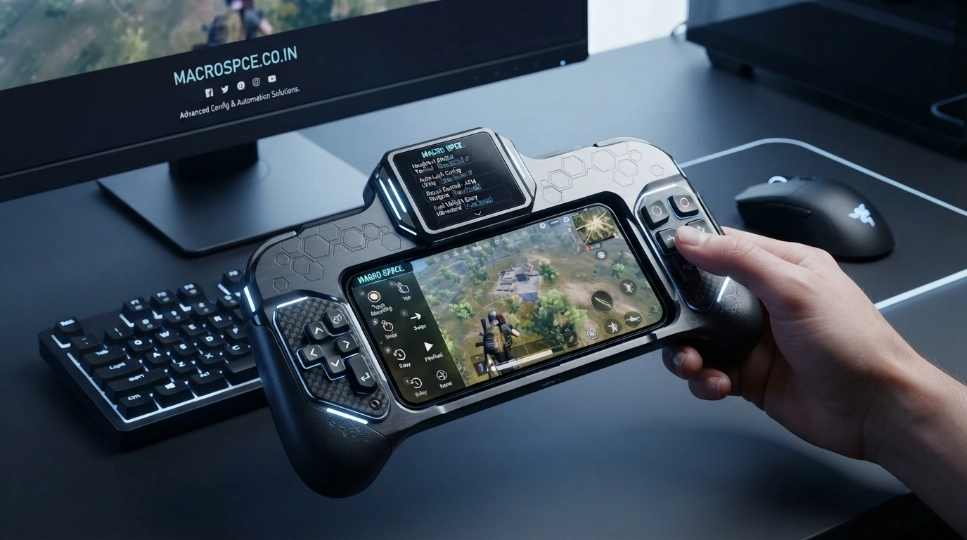
The Macro Space panel can provide quick access to automation controls while another application is open. A floating panel may allow users to start, stop, or manage a saved sequence without repeatedly switching between applications.
Depending on the Android version and device settings, a floating panel may require overlay permission.
If the panel does not appear, check:
- Overlay or display-over-other-apps permission
- Battery restrictions
- Background activity settings
- Android permissions
- Whether the automation service is running
The exact names and locations of these settings can differ between Android manufacturers.
Macro Space APK and Android Compatibility
Users searching for a macro space apk may find different versions, including older and newer releases. A version number alone does not guarantee that an APK will work on every Android device.
Compatibility can depend on the Android version, device settings, required permissions, and the particular application release. Older versions may also behave differently on newer Android versions because system restrictions and permission requirements change over time.
Before installing an APK from outside an official app store, check the source, version information, Android requirements, and requested permissions. These details provide more useful information than relying only on a download title or version label.
Macro Space APK for Free Fire
Some users search for macro space apk free fire because they want to use touch automation while playing the game. However, an APK does not automatically provide special Free Fire functionality.
The automation still depends on the recorded touch sequence, timing, screen layout, and Android permissions. A macro may stop working if the game changes its interface or Android prevents the automation service from running correctly.
Searches for terms such as macro space panel ff may simply refer to using a macro control panel while Free Fire is open. The actual behavior can vary between devices, Android versions, and application releases.
Players should review Free Fire’s current rules before using automated input, particularly when it could affect gameplay.
Why a Macro May Not Work Correctly
A saved sequence can fail when the environment changes after it was recorded. Common problems involve screen layout, timing, permissions, or device settings.
Possible causes include:
- Different screen resolution or aspect ratio
- Changed HUD or button positions
- Incorrect touch coordinates
- Action delays that are too short
- Missing permissions
- Battery optimization stopping background activity
- Android restrictions
- Changes made by a game update
If a sequence fails, test one or two actions first. This makes it easier to determine whether the problem comes from timing, positioning, permissions, or another setting.
Different Versions and Search Terms
Search results can show different version names, spelling variations, and descriptions for Android macro tools. A search phrase does not necessarily identify a separate application or confirm that a particular APK is an official release.
When comparing different files, look at the information that actually identifies the application:
- Application name
- Developer or publisher information
- Version number
- Android requirements
- Requested permissions
- Source of the file
This approach is more useful than choosing an APK based only on words such as “latest,” “old version,” or a particular year. Search terms can help locate information, but they should not be treated as proof of an application’s identity or features.
Should You Use a Modified Macro APK?
Modified APKs may claim to provide extra controls, unlocked features, or other changes to the original application.
A modified file can differ significantly from the original release, so its contents, behavior, and compatibility may be harder to verify. It may also require different permissions or behave differently after an Android update.
If you encounter a modified version, compare its application information with the original release and consider whether the claimed changes are actually needed. Avoid assuming that labels such as “mod,” “latest,” or “2026” describe the file accurately.
Tips for More Reliable Android Macros
A few simple practices can make macro testing easier:
- Start with a short sequence.
- Test individual actions before creating a longer macro.
- Use enough delay for the target application to respond.
- Keep the screen layout consistent after recording.
- Avoid changing display scaling before playback.
- Check the required Android permissions.
- Review battery restrictions if background playback stops.
- Test the macro again after major Android or game updates.
Keeping sequences simple also makes troubleshooting easier. If playback fails, you can identify the specific action that needs adjustment instead of changing several settings at the same time.
Frequently Asked Questions
What is Macro Space used for?
Macro Space can be used to record and replay touch actions on Android. Its available features depend on the application version and device.
Can macros work with Free Fire?
Android macros can reproduce recorded touch actions while a game is open, but the result depends on the screen layout, timing, permissions, and game changes. Players should also check the game’s current rules regarding automated input.
What is a macro panel?
A macro panel is a floating control interface that can provide quick access to saved automation sequences. It may require Android overlay permission.
Is macro space apk free?
Some APK versions may be distributed as free files, but availability and features can vary between versions and sources. Users should check the file information and source before installing it.
Why does my macro miss the buttons?
Recorded touch positions can become inaccurate when the screen resolution, display scaling, or game layout changes. Rechecking the touch positions and testing the sequence again can help identify the problem.
Does Macro Space work on every Android phone?
Not necessarily. Compatibility depends on the Android version, device settings, permissions, and the particular application release.
What does a macro panel APK mean?
This phrase generally refers to an APK associated with a macro control panel. The exact features depend on the specific file and version.
Can a macro keep working after a Free Fire update?
Not always. If an update changes the interface, button positions, or game behavior, a previously recorded macro may need to be tested or recreated.
Final Thoughts
Android macros work by reproducing saved touch actions according to their recorded positions and timing. When used with Free Fire, the results can vary because the game interface, device settings, permissions, and Android restrictions can affect playback.
If you are researching a particular macro application or APK version, focus on its actual application information, Android compatibility, permissions, and source. This gives you a clearer understanding of what the file offers instead of relying only on version names or download claims.